
MantisZip
轻量级全功能 Windows 压缩/解压软件
软件信息
下载地址
软件截图
软件介绍
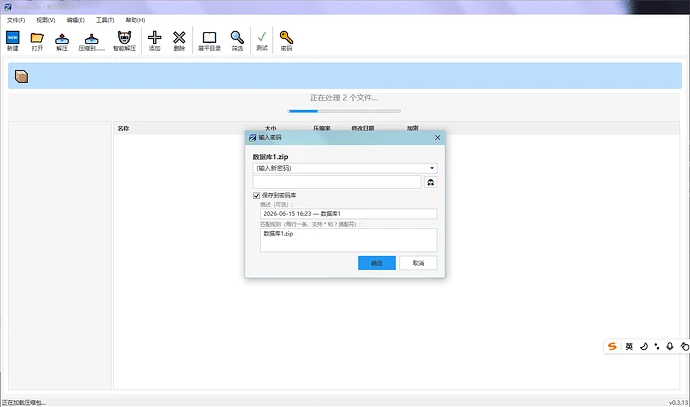
MantisZip 是一款专为 Windows 打造的免费开源压缩与解压工具,不仅支持常见压缩格式,还提供了丰富的文件预览和智能管理功能。用户无需解压即可直接查看压缩包内的图片、GIF 动画、文本、Markdown、HTML、PDF、SVG、字体等多种文件内容,部分格式还支持元数据预览。软件内置智能密码管理器,可自动保存和匹配压缩包密码,并采用 Windows DPAPI 加密存储,支持密码库导入导出,提升加密压缩包的使用效率。此外,MantisZip 提供比传统压缩软件更灵活的文件冲突处理策略,包括覆盖旧文件、覆盖小文件、自动或手动重命名等选项,同时加入文件大小比例显示、目录展平、文件过滤等实用功能,并支持调试日志设置,整体兼顾性能、易用性与开发者需求,是一款适合日常办公和进阶用户使用的现代化压缩工具。
查看 GitHub 源仓库更新日志 v0.4.3
完成 快速路径选择 计划。 Completed Quick Path Selection plan. 快速路径选择,在"浏览"按钮旁边加上三个用于切换路径的按钮。(灵感来自软件 Listary) Quick Path Selection: added three buttons next to the "Browse" button for switching paths. (Inspired by Listary) 快速路径选择 可以把常用路径加入书签,在"书签"按钮弹出菜单里面选择并切换。 Frequently used paths can be bookmarked and selected via the "Bookmark" button popup menu for quick switching. 快速路径书签 可以在书签管理器里面管理书签。 Bookmarks can be managed in the Bookmark Manager. 书签管理器 "历史"按钮,弹出菜单里面会显示最近的用到的目录并切换。 The "History" button shows recently used directories in a popup menu for quick switching. 快速路径历史 "切换"按钮,弹出菜单里面会显示此时打开的资源管理器目录并切换。 The "Switch" button shows currently open Explorer directories in a popup menu for quick switching. 快速路径切换